🛎️
Guests order themselves
No waiting for a waiter. Guests browse, add items, and submit whenever they're ready. Your staff focuses on service, not order-taking.
Upload your menu, receive your free QR stands, place them on tables. That's it. Your guests can start ordering the same day.
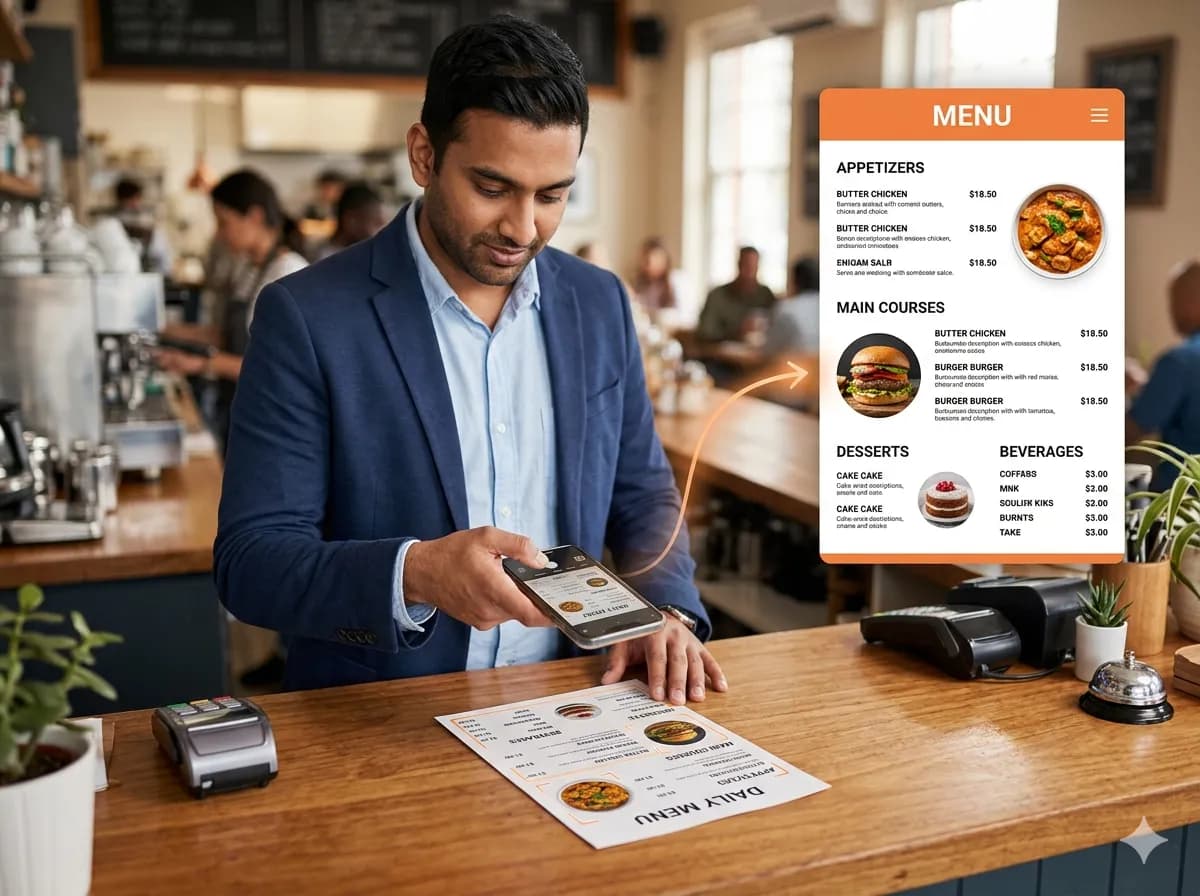
Take a photo of your existing menu — printed, laminated, or written on a board. Upload it to SnapTray. Our AI reads it and builds your entire digital menu: categories, items, descriptions, and prices. You review, make any corrections, and publish. Done.
Photo or PDF upload — Take photos of your existing menu or upload a PDF. Our AI reads it and builds your digital menu automatically.
AI extracts everything — Item names, descriptions, prices, categories — all pulled out and structured. No manual data entry.
You review and confirm — The AI gets it ~95% right. You quickly review, fix any errors, add photos if you want, and publish.
Instant changes anytime — Sold out of something? Price changed? Toggle availability or edit prices in seconds. Changes go live immediately.
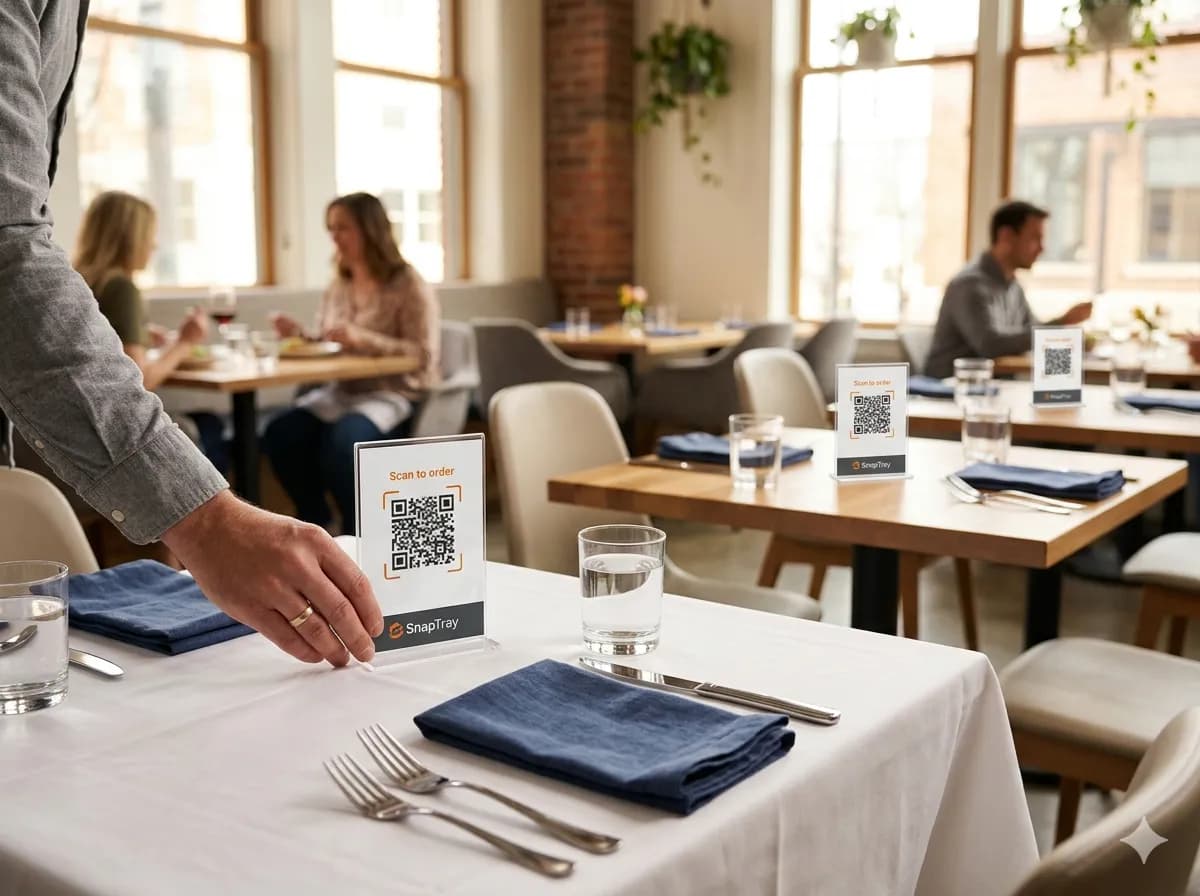
We print your unique QR codes on premium acrylic stands and ship them to you free of charge. Each stand is pre-assigned to a specific table. Place Table 1's stand on Table 1, Table 7's stand on Table 7. When a guest scans, the system already knows which table they're at.
Free acrylic stands included — Every SnapTray plan includes free acrylic QR stands. Premium-looking, professional, and completely free.
One unique QR per table — Each stand has a unique code. Table 1 scans go to Table 1. Table 7 scans go to Table 7. Automatic.
Delivered to your door — We print and ship your custom QR stands. You receive them, place them on tables, done.
Replacements if lost or damaged — QR stand got damaged? Request a replacement. We reprint and ship it. No charge.
Guests scan the QR on their table and the menu opens in their browser — no app, no sign-up. Multiple guests at the same table share one cart in real time. When they submit, the order hits your kitchen display instantly with the table number, items, and any special requests.
Scan — no app needed — Guests point their phone camera at the QR. The menu opens in their browser. No download, no sign-up.
Shared cart in real time — Multiple guests at the same table join one cart. Everyone sees what everyone adds, instantly.
Order goes to kitchen display — When the table submits, your kitchen display shows the order immediately. Table number, items, special requests.
You track everything — Your admin panel shows incoming orders, in-progress orders, and completed orders in real time.
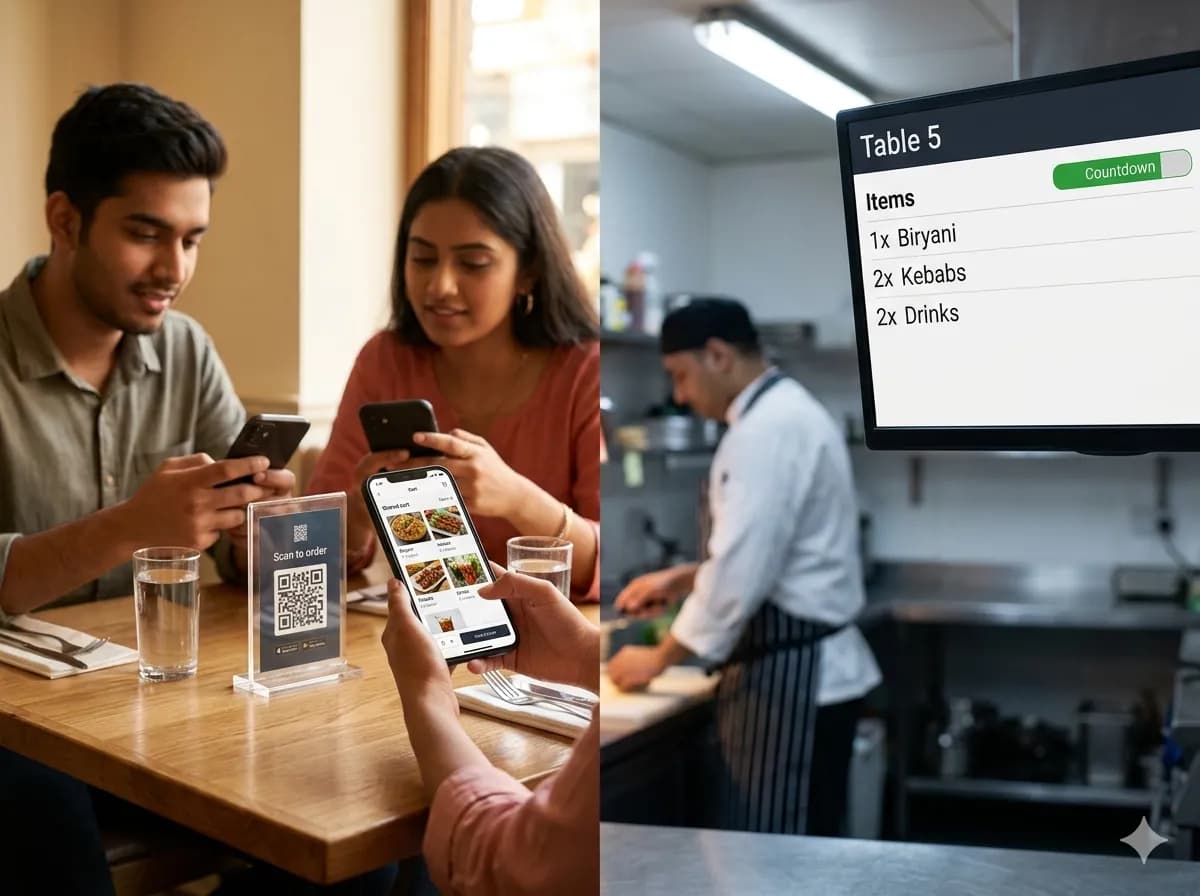
No waiting for a waiter. Guests browse, add items, and submit whenever they're ready. Your staff focuses on service, not order-taking.
Every order, every scan, every item viewed is tracked. After a week you have real data on what sells, what doesn't, and when your rush is.
Changed your menu? Update it from your phone in 30 seconds. New items, new prices, new photos — live immediately across all QR codes.
Start free. When you're ready for Kitchen Display, Analytics, or Multi-Branch — upgrade in one click. No contracts, no pressure.
No credit card. No contracts. No commissions. Set up in 15 minutes.
Free forever plan · Free acrylic stands · Setup in 15 minutes